ALERT: SAVING SETTINGS WITH THE CONNECT IQ MOBILE APP IS AFFECTED BY A BUG IN THE GARMIN IQ SYSTEM. MAKE SURE THE TUBEWITCH DATA FIELD IS VISIBLE ON YOUR GARMIN DEVICE WHEN CHANGING SETTINGS. IF SETTINGS STILL DO NOT SAVE, TRY GARMIN EXPRESS. VIEW CURRENT WORKAROUND
TyreWiz & AIRMAX pressure and alerts on Garmin
Know your pressure before it costs you the ride
TubeWitch for TyreWiz & AIRMAX is a FREE Garmin data field for
Quarq TyreWiz sensors,
Schwalbe AIRMAX sensors and
Zipp wheels
with the integrated
Zipp AXS Wheel Sensor.
It puts live tire pressures on
Garmin Edge devices
and
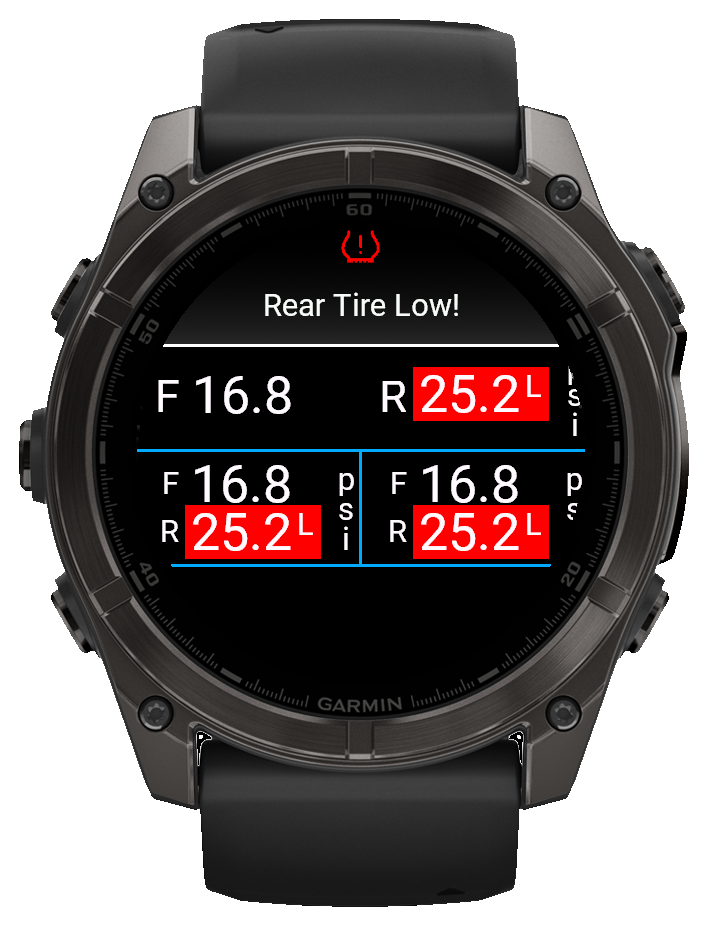
Garmin watches,
with clear warnings,
fast reconnect behavior, and support for multiple bikes or wheelsets.
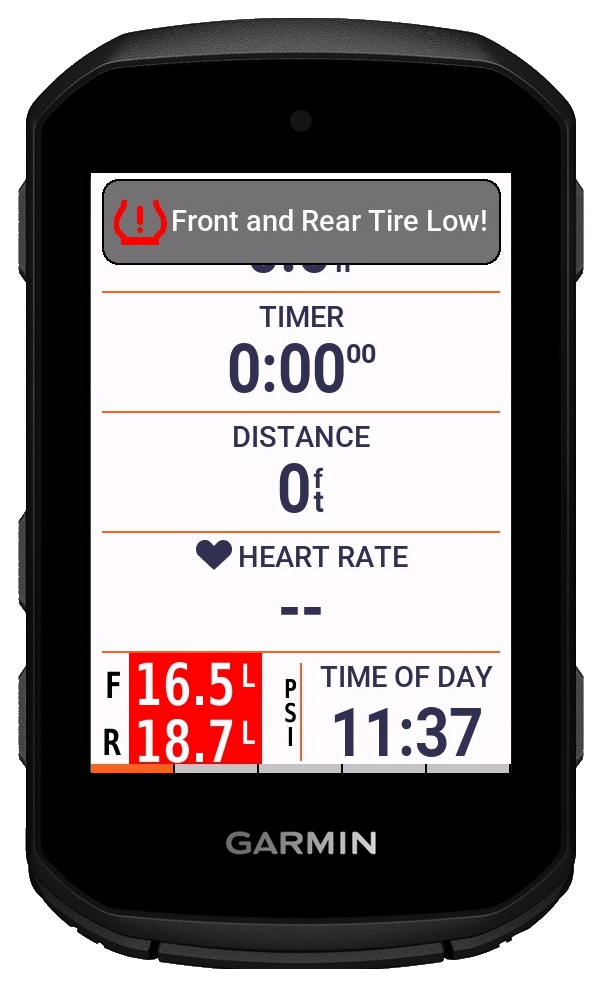
Real-time pressure warning on the ride screen
View Alert Demo
Garmin watch layout with popup and vibration alerts
View Alert Demo
Works with Quarq TyreWiz, Schwalbe AIRMAX, and Zipp AXS Wheel SensorPopup, audible, and vibration alertsCustomizable layouts, colors, and labels
Ride confidence
Know when pressure really changed
Ever think a tire felt low after a hard hit, then stop to check but everything was fine? TubeWitch shows whether that brutal rock strike, thorns, or debris actually caused pressure loss, so you can avoid unnecessary stops and keep riding with confidence. If you really are losing air, TubeWitch will give you audible and popup alerts based on real pressure data, so you can bail before hitting that next big jump or descent.
TubeWitch can even keep watch in the background, so you can leave your map or favorite screen up and still get audible and popup alerts.
Garmin tire pressure
Show SRAM/Quarq TyreWiz tire pressure on a Garmin device
TubeWitch is a Garmin data field for riders who want Quarq TyreWiz 1.0 and 2.0 sensor data on a Garmin Edge device or compatible watch.
Display layouts and labels are flexible, while audible, pop-up, and vibration alerts are configurable to avoid nuisance duplicate alarms.
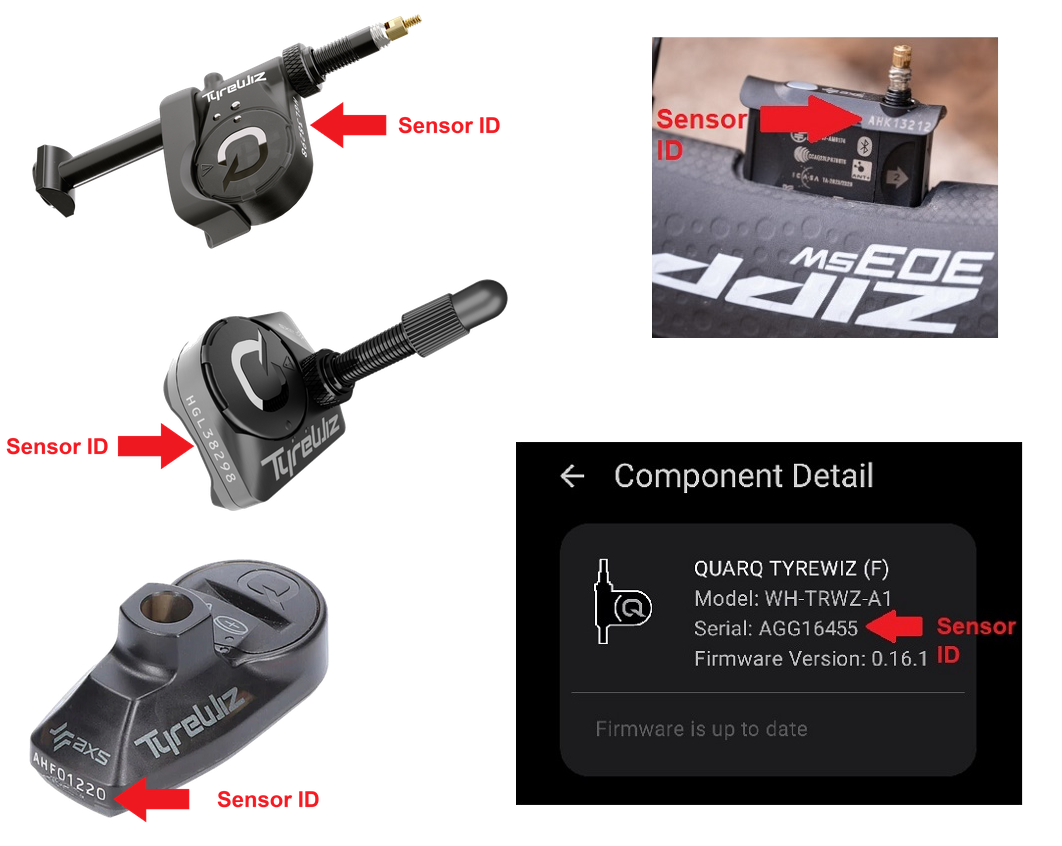
TubeWitch stores the numeric part of each sensor ID
TubeWitch alert behavior includes popup, audible, vibration, delay, and reset controls designed for different riding styles and device types.
What riders see on screen
Pressure popup when limits are exceeded
·
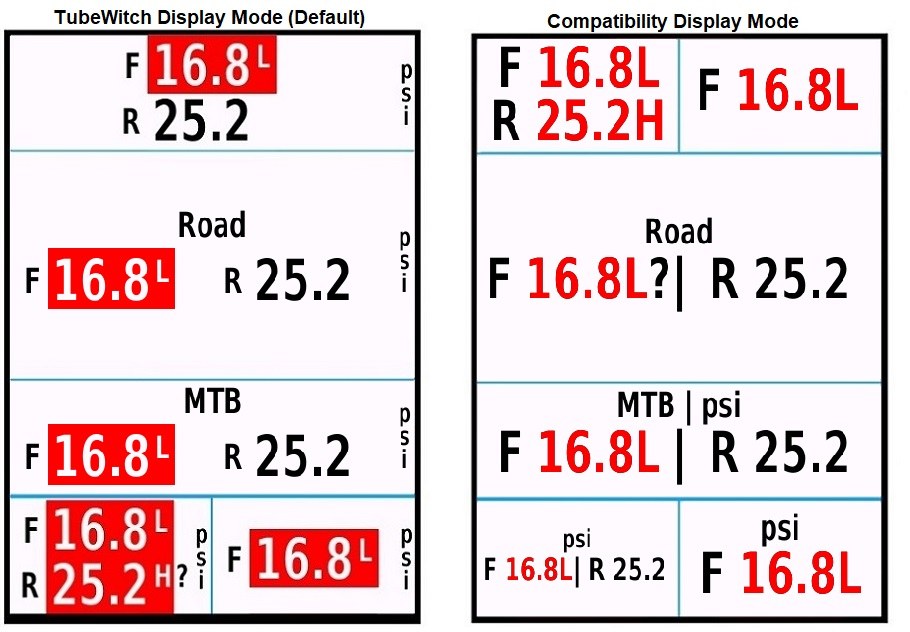
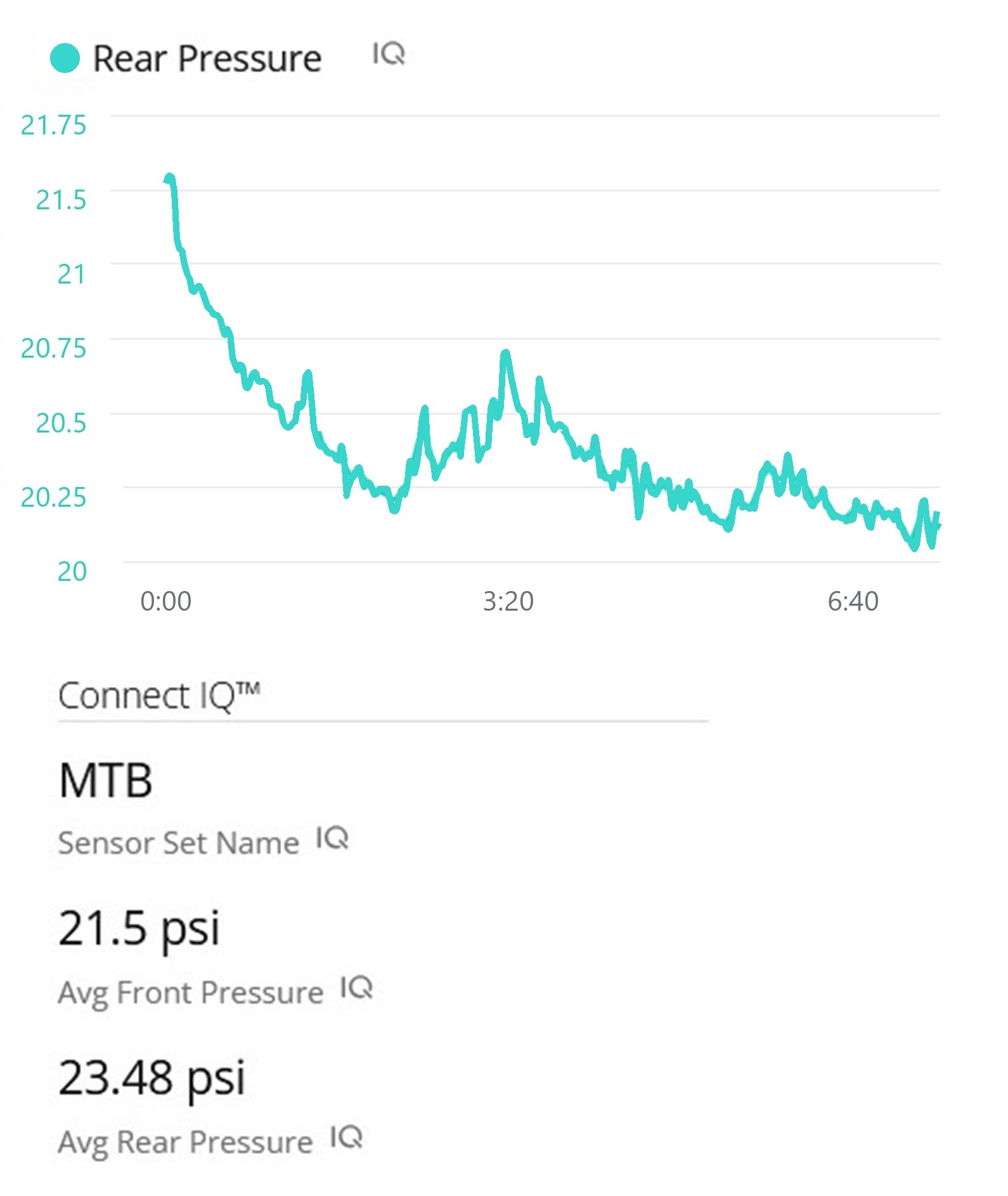
View Alert DemoDisplay mode examples with flexible layout optionsPost-ride summary with sensor set name and average pressures

 leave the TubeWitch field visible