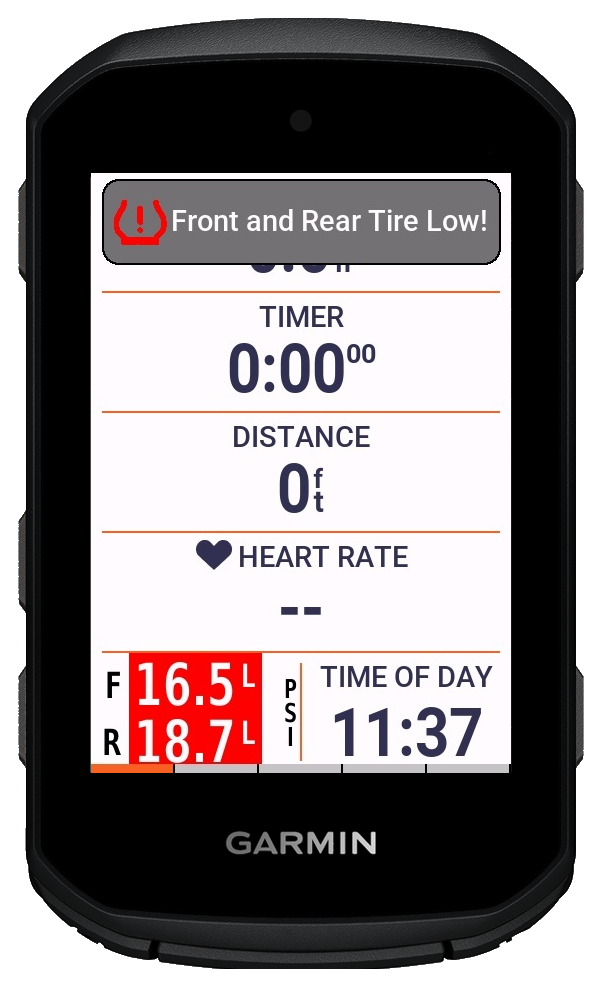
Layout gallery

TubeWitch layouts on Garmin Edge devices and watches

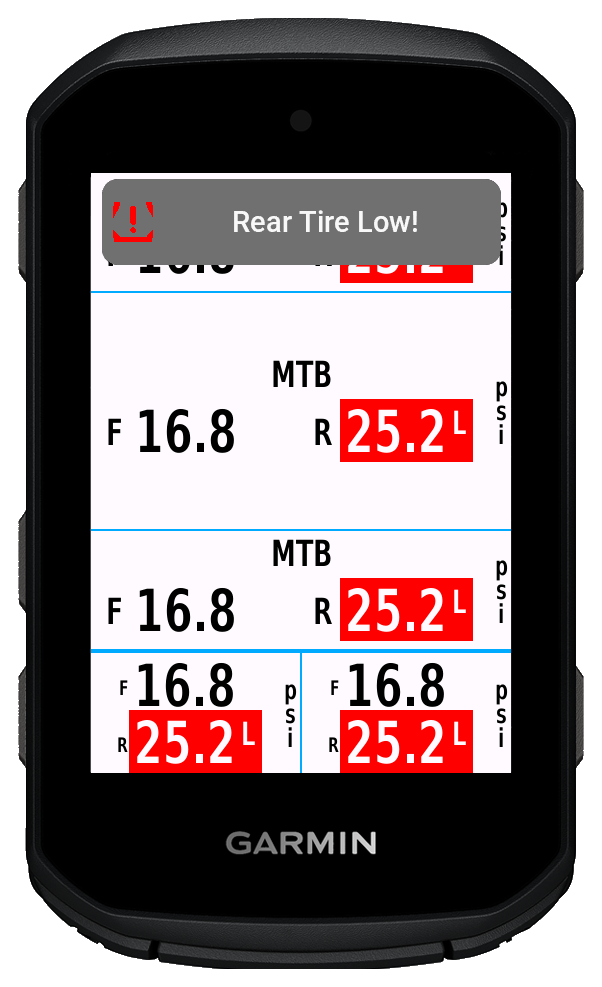
This gallery shows TubeWitch inside Garmin device frames rather than cropped simulator screens, including popup alerts, compact pressure views, and multi-field layouts.

Labels, colors, decimal precision, layout orientation, and alert behavior are configurable, so these examples are a representative sample rather than a fixed single look.

Alert views on Edge devices

Optional popup and audible warnings are triggered for high or low pressures in customizable colors.

Low tire pressure popup and audible alert demo on Garmin Edge 850

Video demo

See the alert behavior in motion

This demo shows TubeWitch triggering a low tire pressure popup alert on a Garmin Edge 850.

Even though the pressure moves above and below the alarm limit, TubeWitch waits for the configured alarm delay before triggering the popup and audible alert, then holds the alert state until the reset delay is satisfied.

View Alert Demo
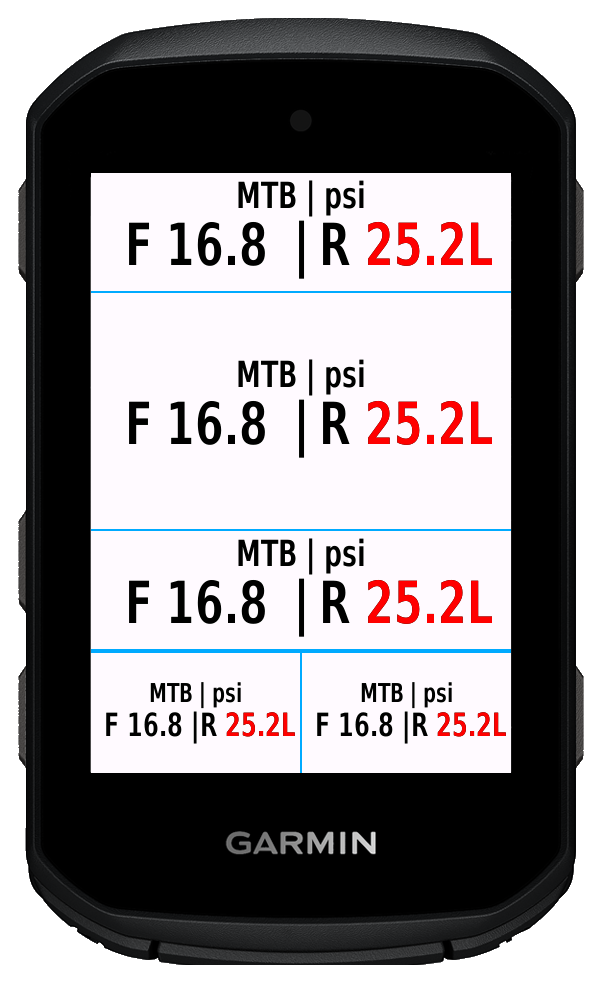
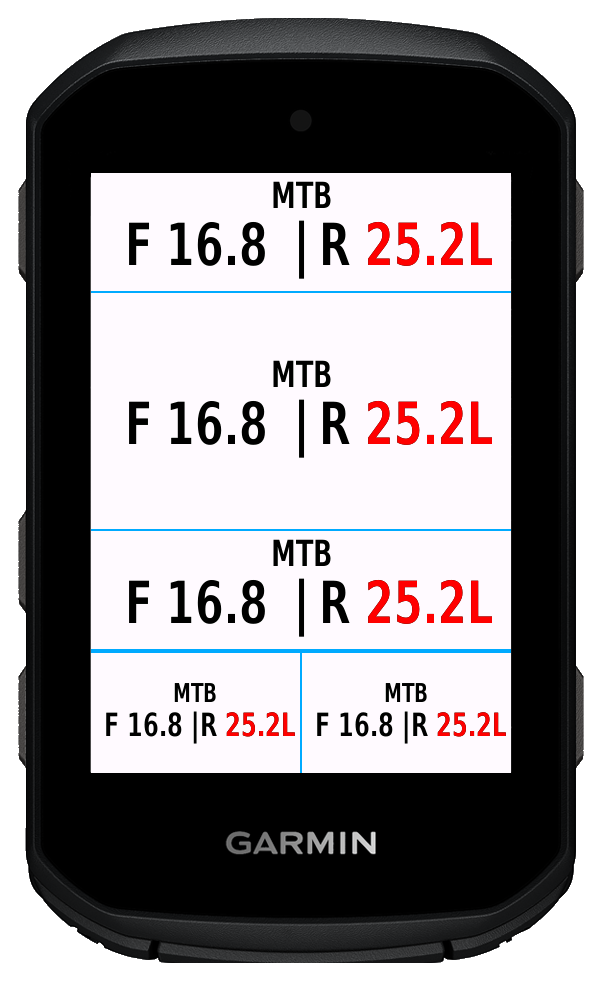
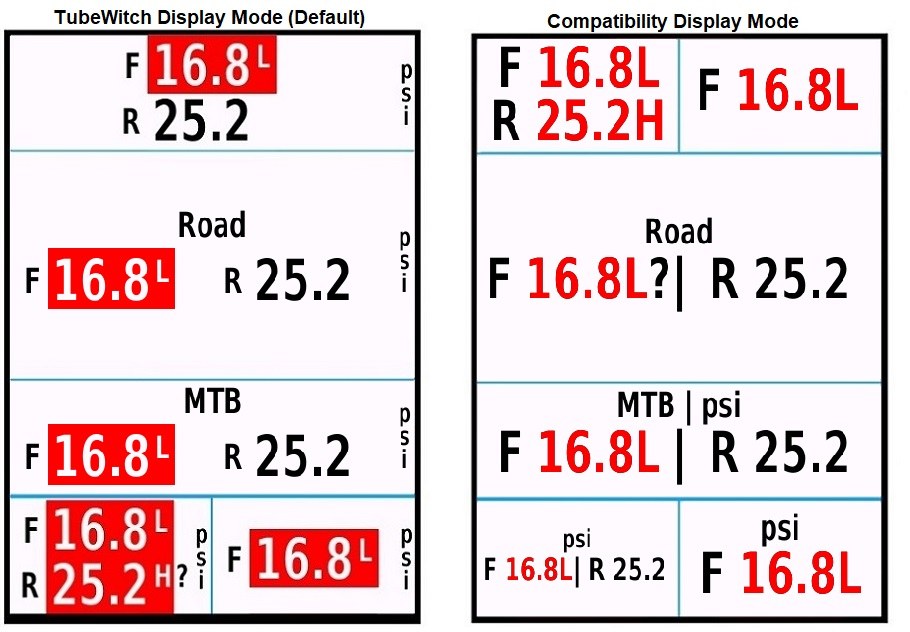
Compatibility Mode layouts

These examples show Compatibility Mode, designed to support all devices with dynamic font sizing.

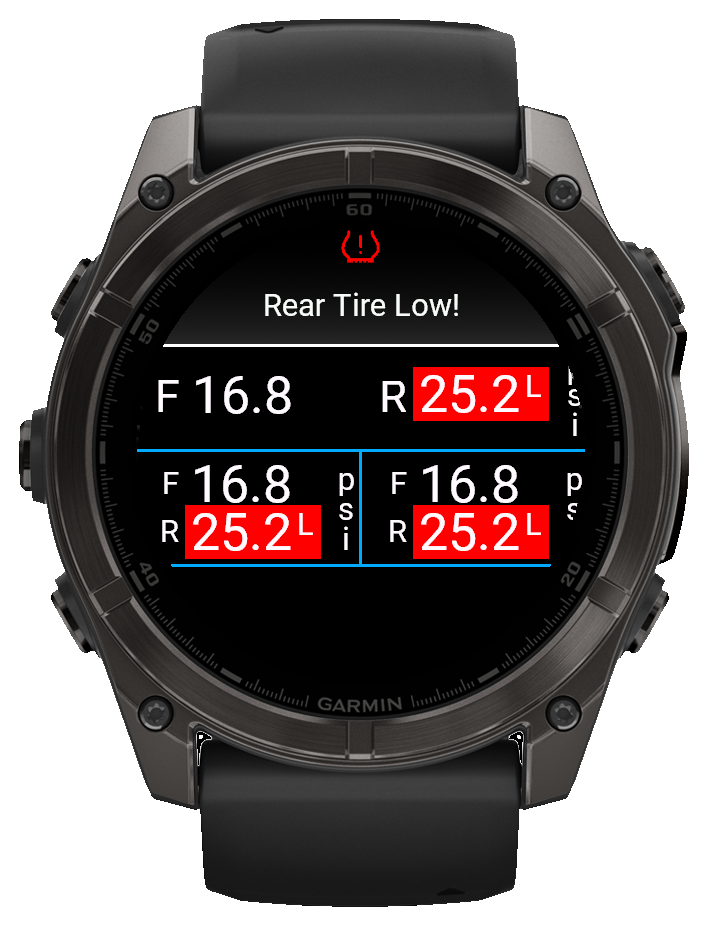
TubeWitch watch layout with a rear tire low popup on a Garmin watch
Watch layout with popup and vibration alerts ยท View Alert Demo

Watch support

TubeWitch also fits Garmin watches

Compatible watches can show the same pressure data with a layout tuned for smaller screens and device-specific constraints.

Popup, tone, and vibration behavior depend on the device, while the data field settings still control labels, colors, decimal precision, and layout behavior.

Watch layouts Popup alerts Vibration alerts Configurable colors
Low tire pressure popup, audible, and vibration alert demo on Garmin watch

Watch video demo

See the watch alert behavior in motion

This demo shows TubeWitch triggering a low tire pressure alert on a Garmin watch.

As rear tire pressure falls, the watch first shows the low-pressure state, then waits for the configured alarm delay before triggering the popup, audible alert, and vibration alert.

View Watch Alert Demo

What changes between layouts

Labels

Short or explicit labels

Use label and delimiter settings to keep compact layouts cleaner or make them more descriptive.

Display

Orientation and compatibility mode

Layout orientation and display mode help TubeWitch fit devices with different screen shapes and rendering support.

Alert flow

Popup, tone, vibration, and timing

Alert output and timing can be adjusted so warnings stay visible without turning into nuisance duplicate alarms.

Profiles

Multiple bikes and wheelsets

Named sensor sets, Touch Data Field actions, and Auto Switch behavior make the same layouts practical across several bikes.

Gallery examples show only a subset of the available combinations. For full display, alert, and compatibility controls, review the settings guide, features page, and alert controls.